Tymflow Desktop

Download the desktop app that turns raw activity into clean daily time data

Tymflow Desktop tracks apps, coding sessions, browser work, files, and focus blocks locally. At the end of the day, users review the aggregate, keep what matters, and sync the approved result into Tymflow.

Tymflow desktop command center overview

Choose the desktop build that fits the way you work

Pick the version for your operating system and start tracking desktop activity locally, reviewing the day clearly, and syncing only the final approved result into Tymflow

macOS

Apple Silicon · .dmg

v0.9.4

Best for Apple Silicon Macs

Install the native desktop build for modern Mac hardware and start capturing focused work without manual timers.

Fastest setup for designers, developers, and solo makers on Mac.

Download for macOS
Windows

x64 · .exe

v0.9.4

Built for Windows 10 and 11

Track coding, browser activity, documents, and daily sessions from one lightweight Windows installer.

Ideal for teams standardizing activity capture across office and remote setups.

Download for Windows

Linux

AppImage · .AppImage

v0.9.4-beta

Portable build for Linux desktops

Run Tymflow Desktop with a portable Linux package and sync aggregated work logs back into Tymflow at day end.

Strong fit for engineering-heavy teams that want a flexible local workflow.

Download for Linux

Every build is designed to help users capture work automatically while keeping the final sync simple and under their control

See how Tymflow Desktop turns a full workday into something clear, reviewable, and ready to sync

Users get automatic tracking in the background, then a clean visual summary of projects, apps, sessions, and focus time before anything is sent to Tymflow

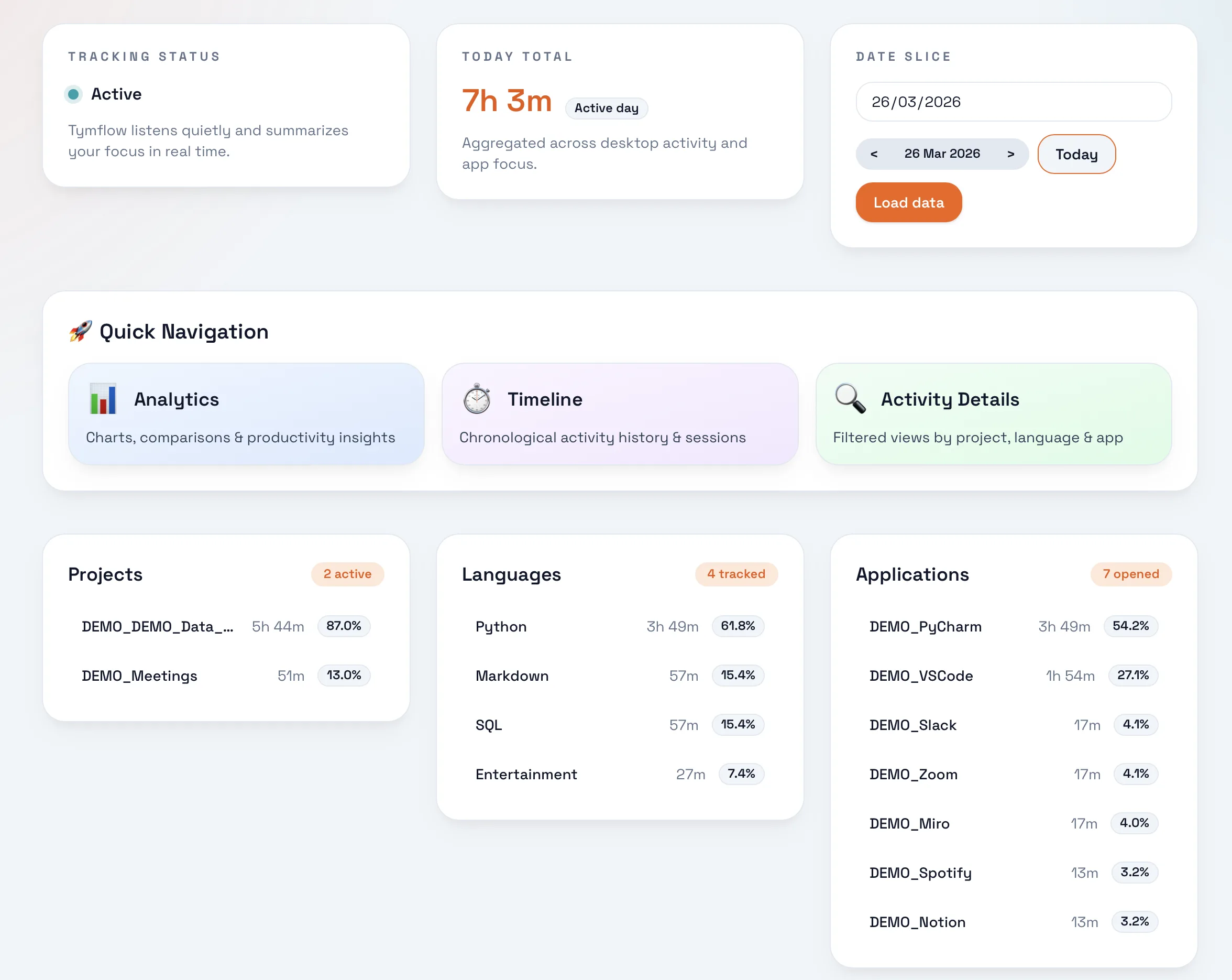
Tymflow desktop activity command center showing projects, languages, and applications in one overview

Command center

One screen for projects, apps, and languages

The activity command center makes current focus, tracked projects, active applications, and language distribution visible without jumping across multiple views

Why it matters

Tymflow does not just count hours. It explains what happened, where time moved, and what should be synced into the final daily record

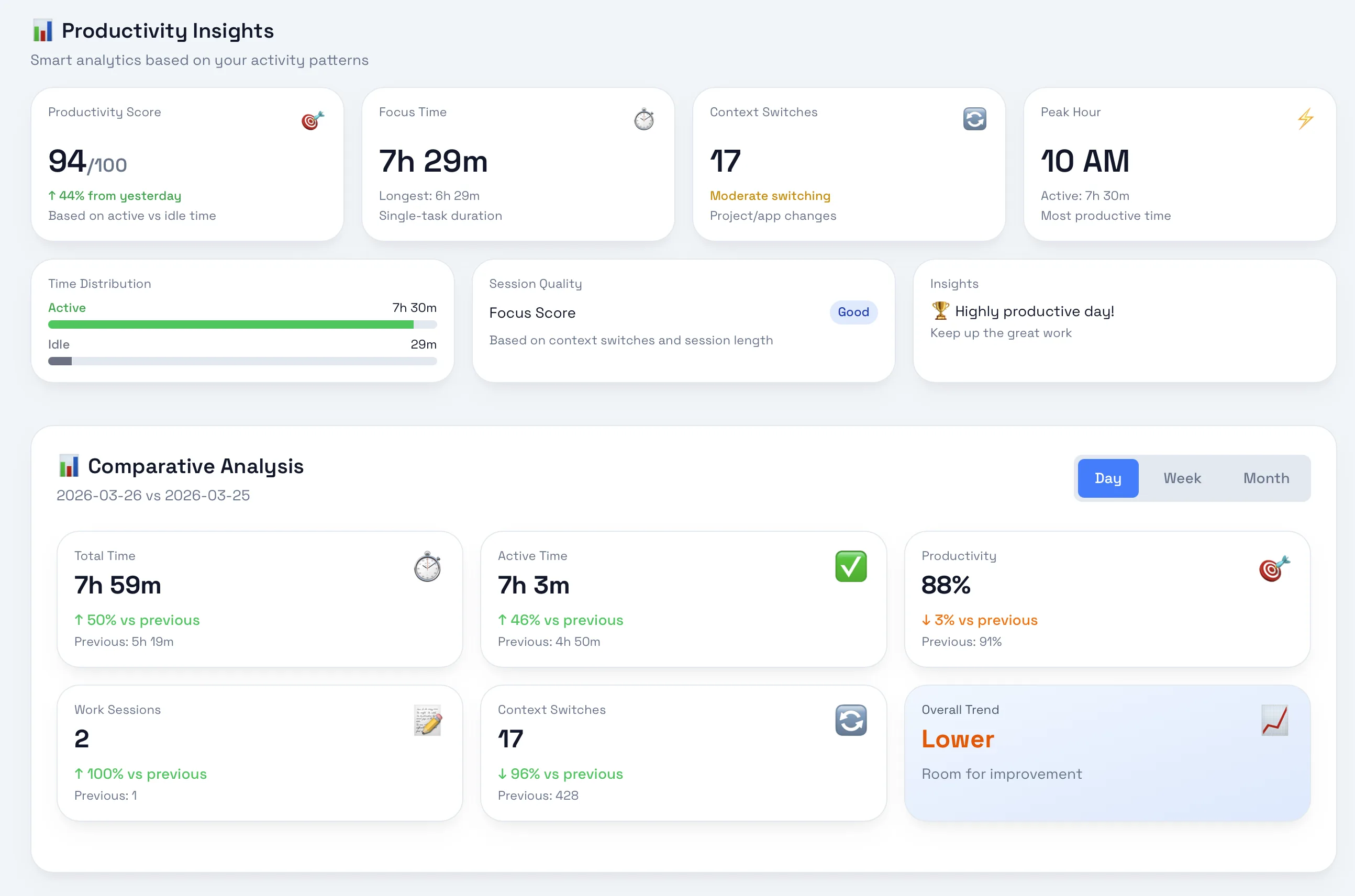
Tymflow desktop productivity insights screen with productivity score, focus time, and comparative analysis

Productivity insights

See the story behind a productive day

Insight cards surface focus time, context switches, productivity trends, and comparative analysis so users know whether the day was efficient before syncing anything

Why it matters

Tymflow does not just count hours. It explains what happened, where time moved, and what should be synced into the final daily record

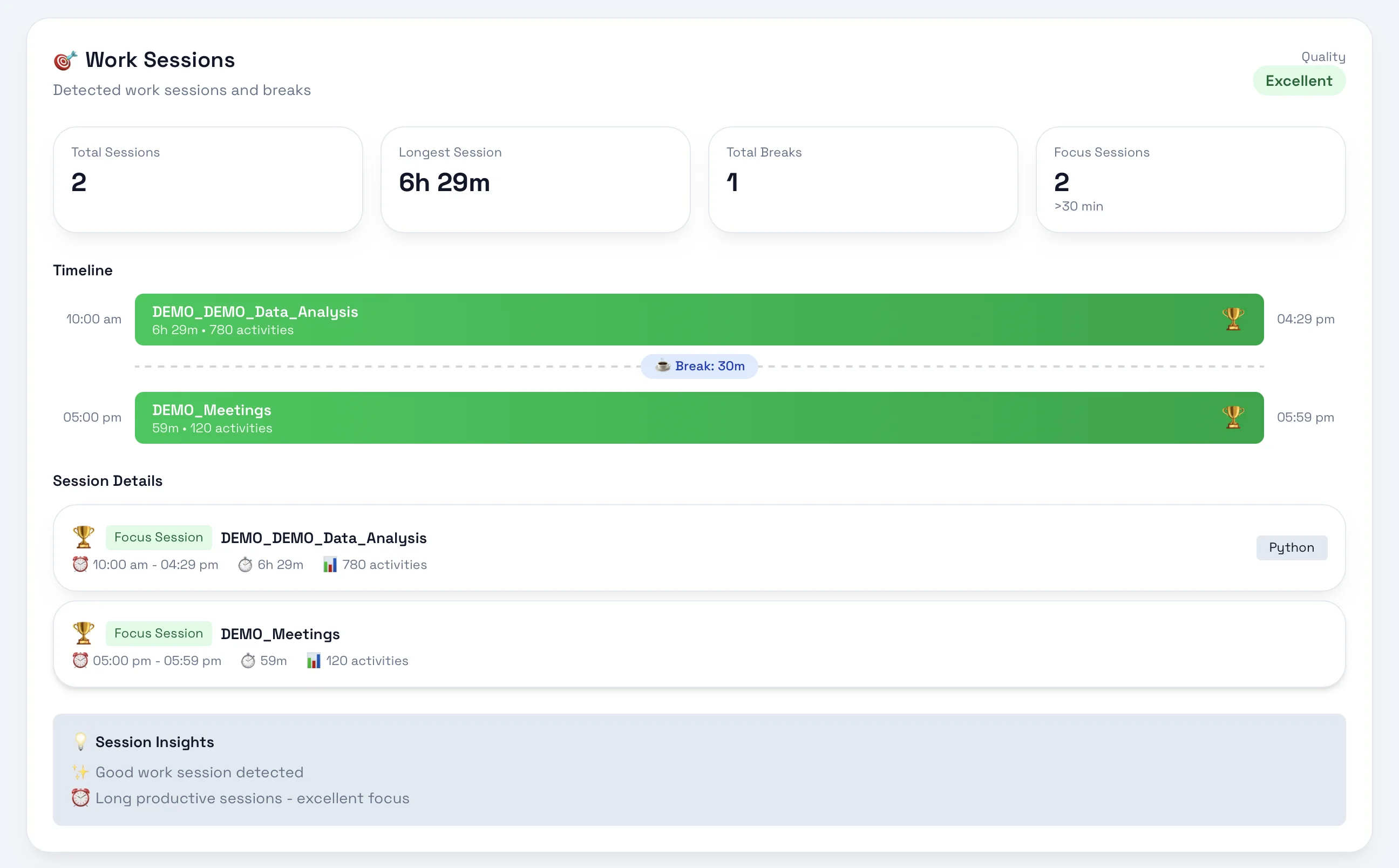
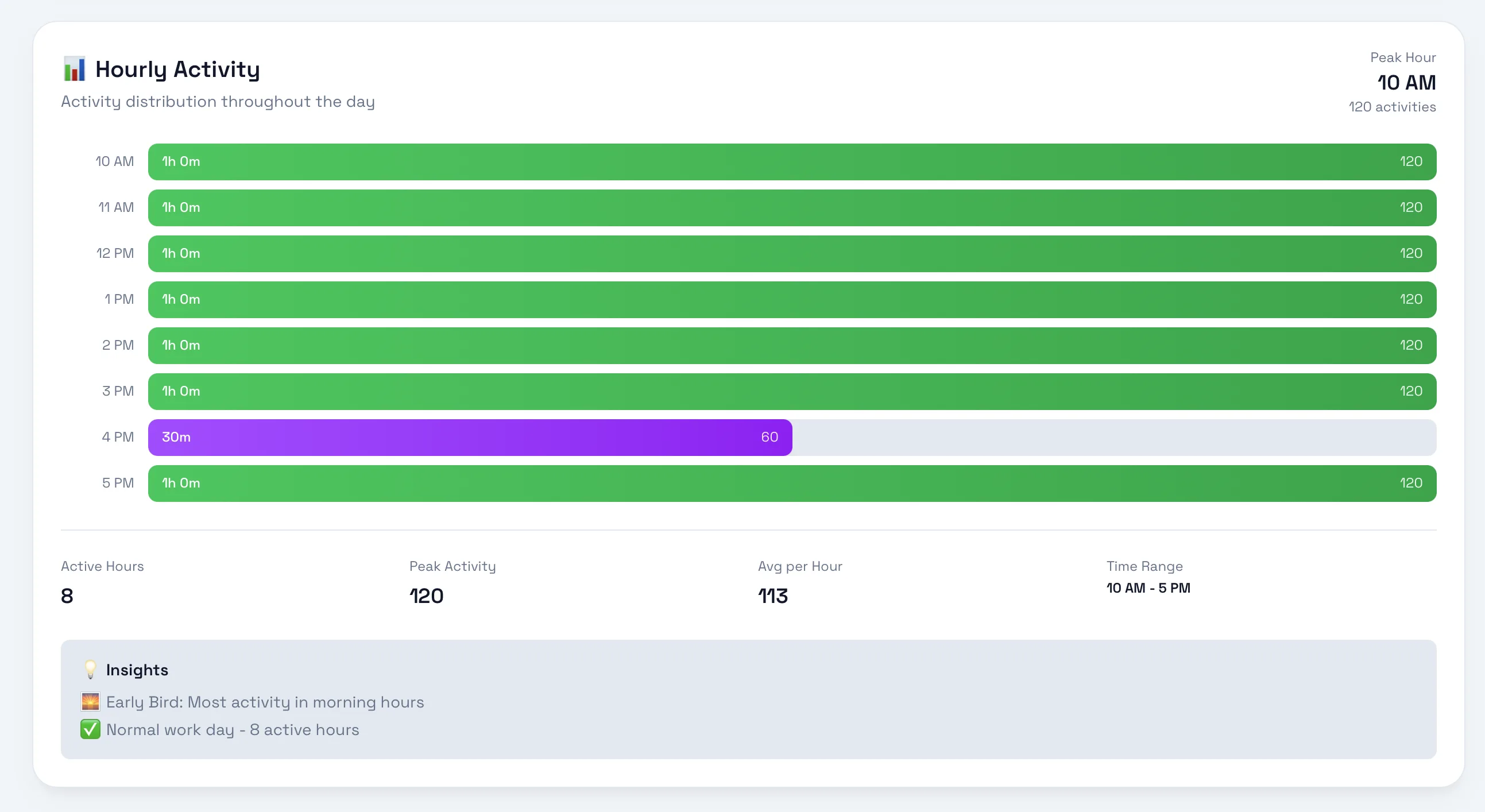
Tymflow desktop hourly activity screen showing focus patterns and work sessions across the day

Timeline and sessions

Track sessions hour by hour, not just totals

Hourly activity and timeline screens show when work happened, how long sessions lasted, and where the strongest concentration happened during the day

Why it matters

Tymflow does not just count hours. It explains what happened, where time moved, and what should be synced into the final daily record

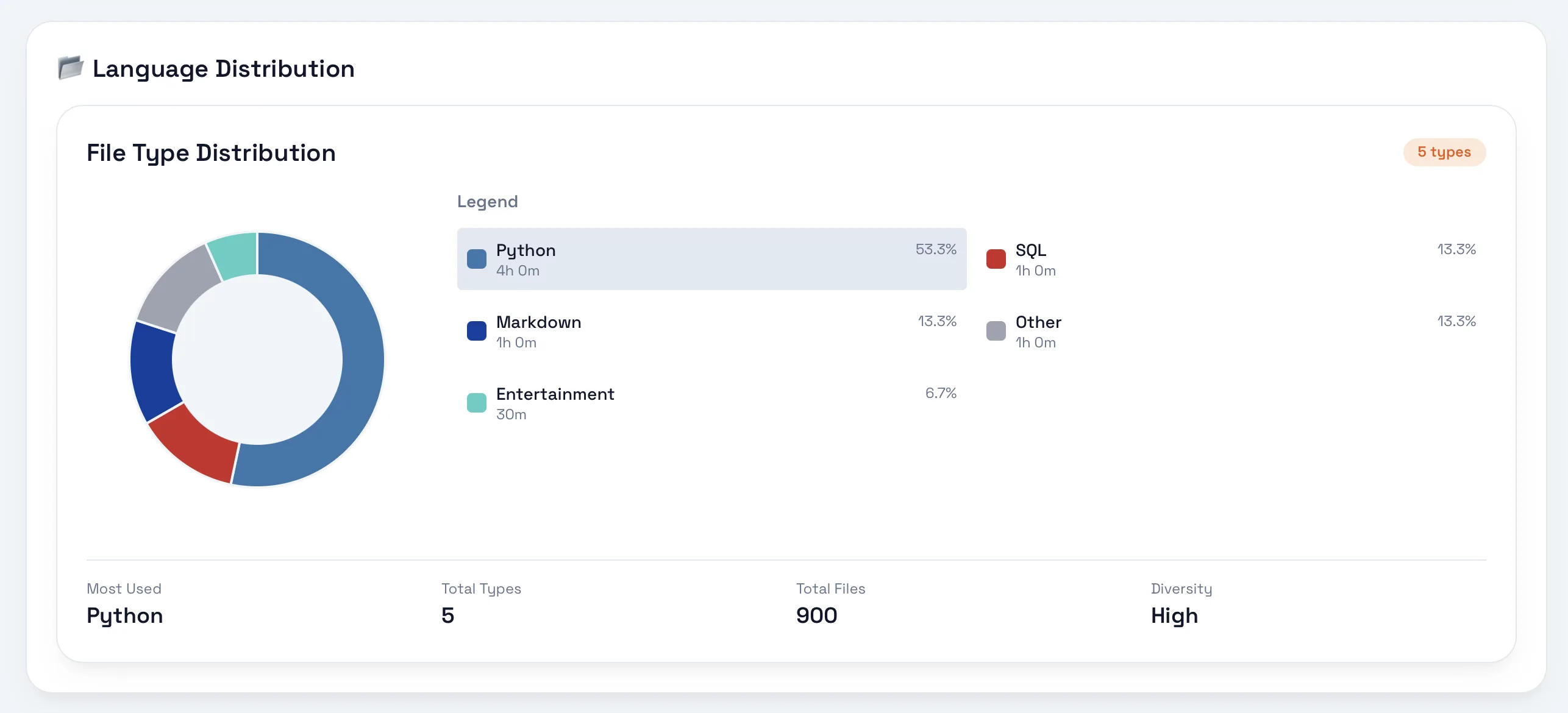
Tymflow desktop language distribution chart showing tracked file types and total files

Detailed classification

Break work down by file type, project, and intent

Language distribution, activity view, and intelligent enrichment bring structure to the raw event stream so users can validate the aggregate before sending it into Tymflow

Why it matters

Tymflow does not just count hours. It explains what happened, where time moved, and what should be synced into the final daily record

More detail when users want to inspect the day

Project-level breakdowns, timelines, and enrichment keep the final sync accurate without forcing users to log everything manually

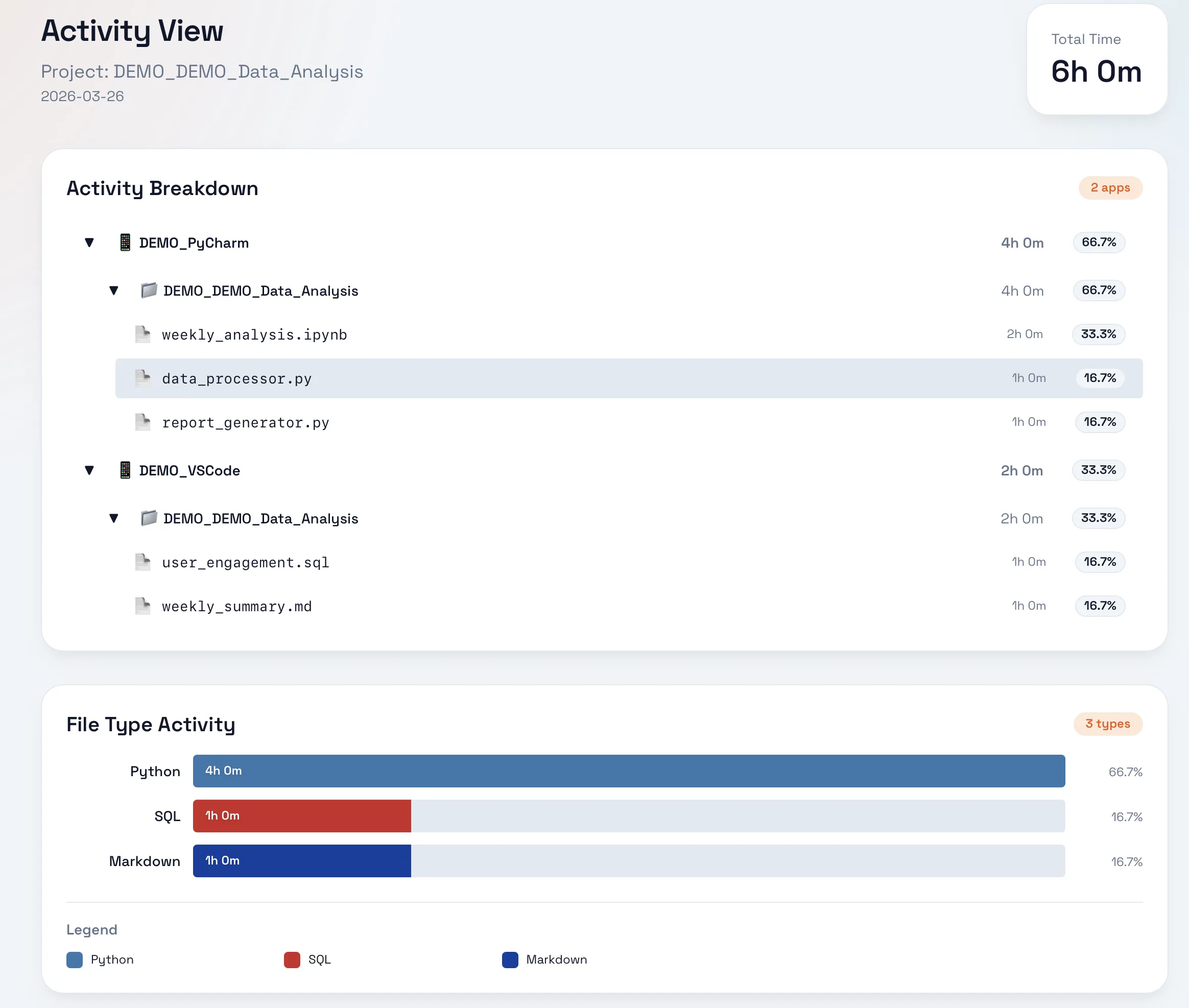
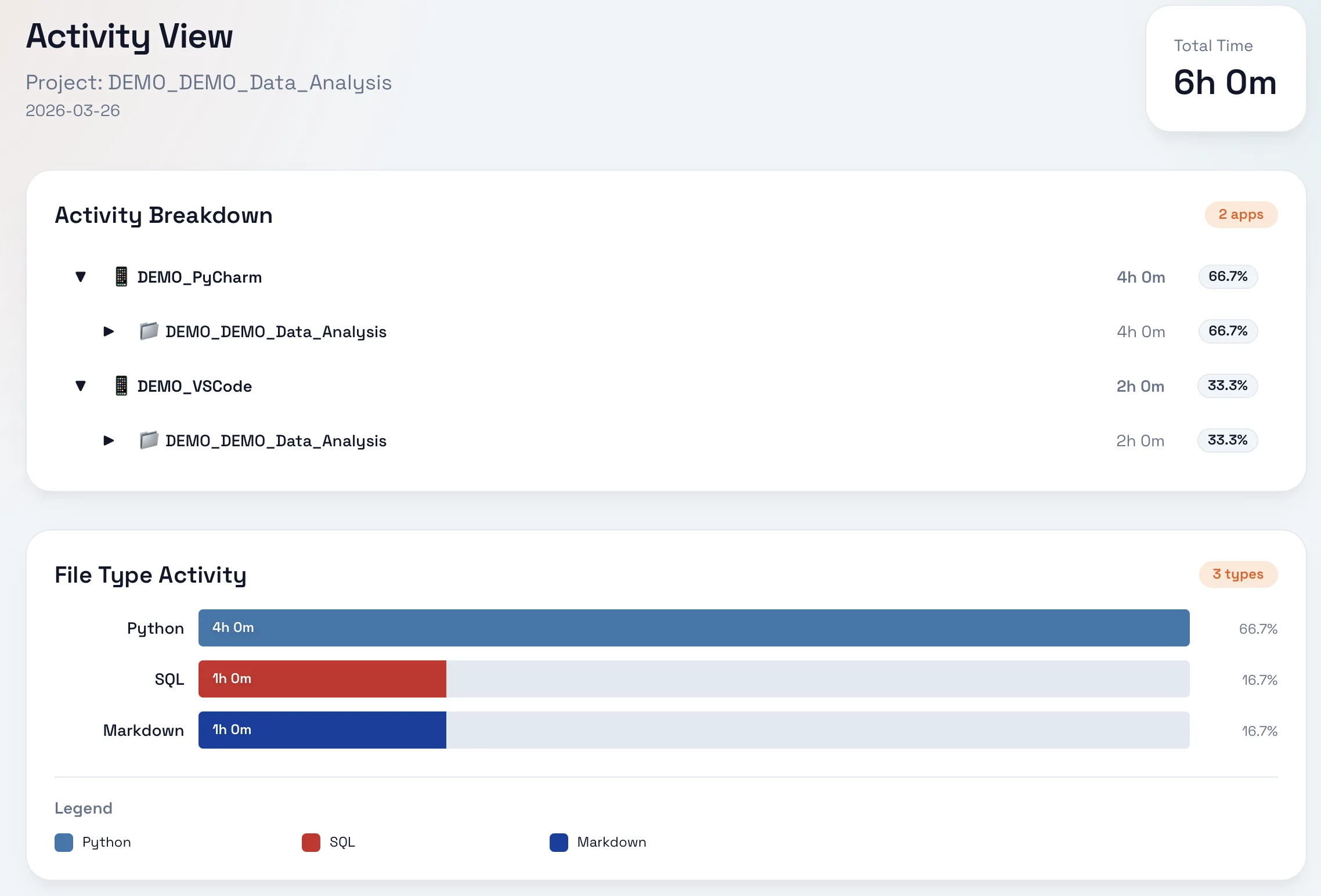
Tymflow desktop activity view breaking down work by app and file type for a project

Activity details

Project-level activity breakdown

Inspect time by application and file type to understand exactly how a project was built

Tymflow desktop activity timeline showing total events recorded and detailed time breakdown

Chronological history

A clear timeline of the whole day

Review total events, active span, breaks, and efficiency before approving the final sync

Tymflow desktop intelligent enrichment view showing enriched projects, activity tags, and file categories

Data enrichment

Automatic tags and enrichment summaries

Projects, tags, and file categories are enriched automatically so reports inside Tymflow stay useful, not generic

Download, track locally, review, sync

Tymflow Desktop captures the workday automatically, lets users review the aggregate, and then syncs the final approved result into Tymflow

  1. 1 Download the desktop app for your operating system
  2. 2 Track apps, files, browser work, and focus sessions locally throughout the day
  3. 3 Review the aggregate and sync the approved result into Tymflow when the day is done